WordPress Page Builder

Build Beautiful Pages in Minutes

Unlike Elementor, no bloat. Unlike WPBakery, no complexity. Just a wizard, a visual editor, and clean HTML output. Pages ready in minutes.

14+ Section Types
6 Page Templates
★★★★★ 5.0 Rating
No jQuery No Bootstrap
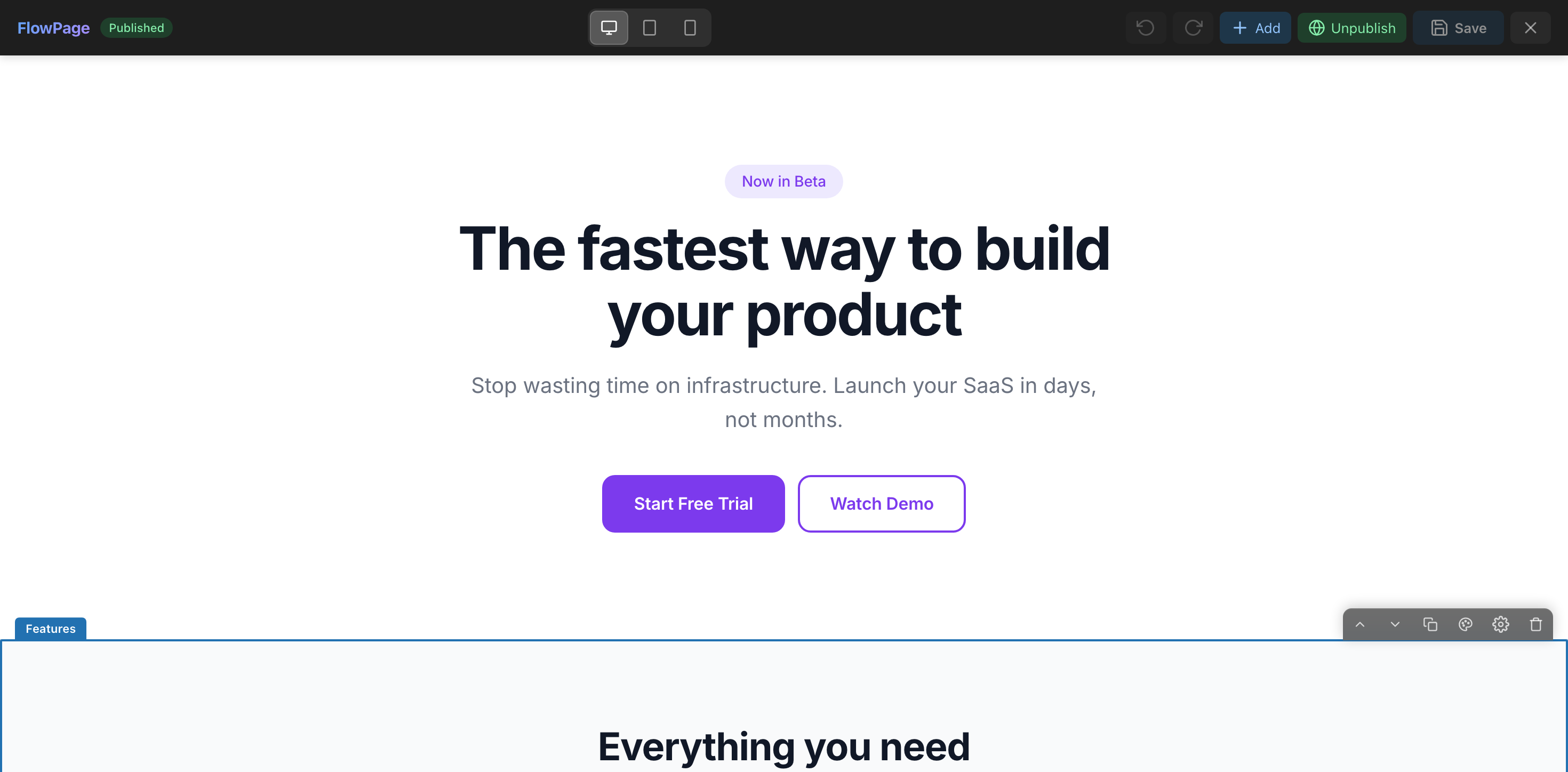
flowpage.webkodingtheme.com — Visual Editor
FlowPage Visual Editor with inline editing and live preview
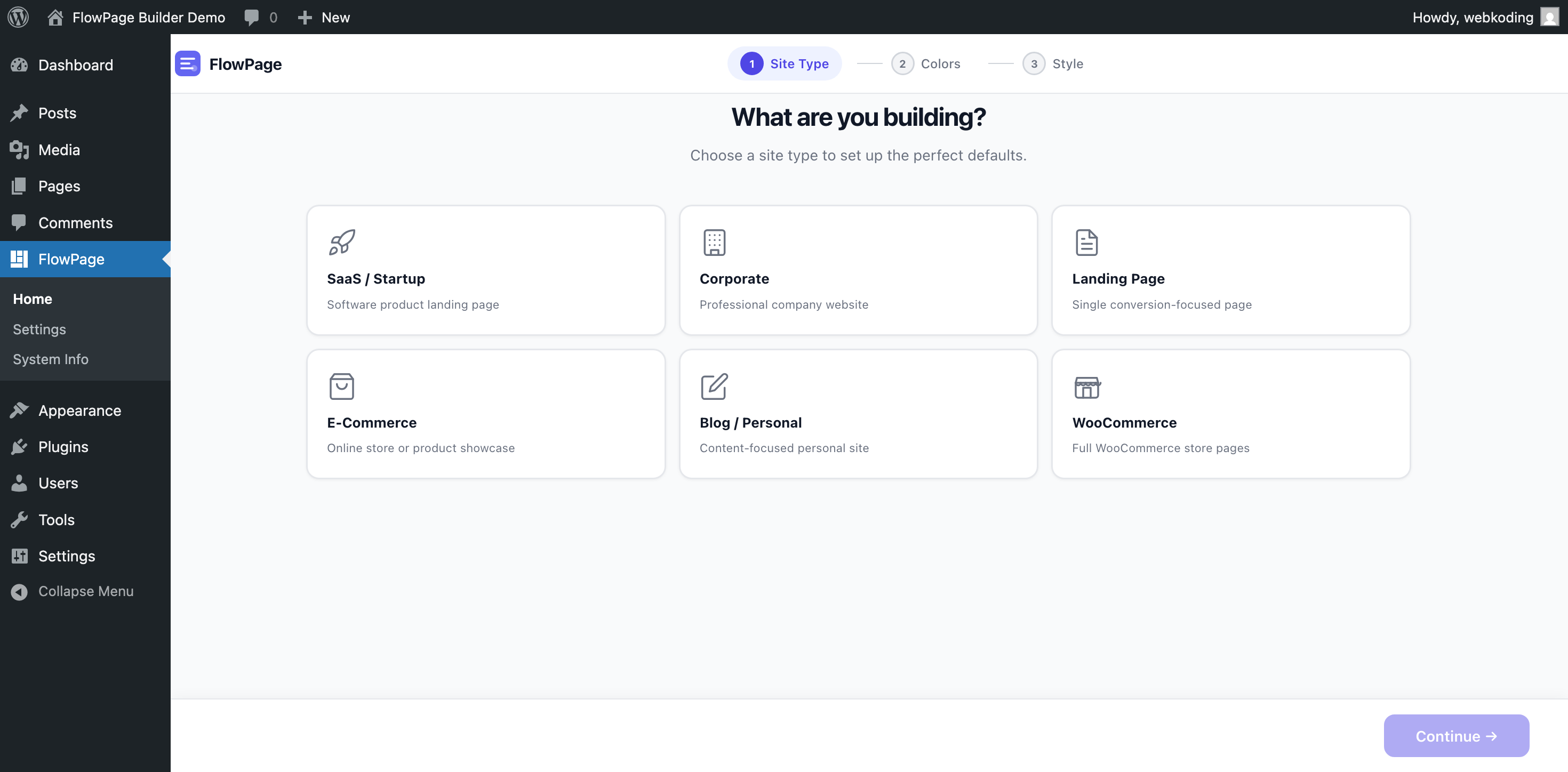
FlowPage Setup Wizard with site type selection
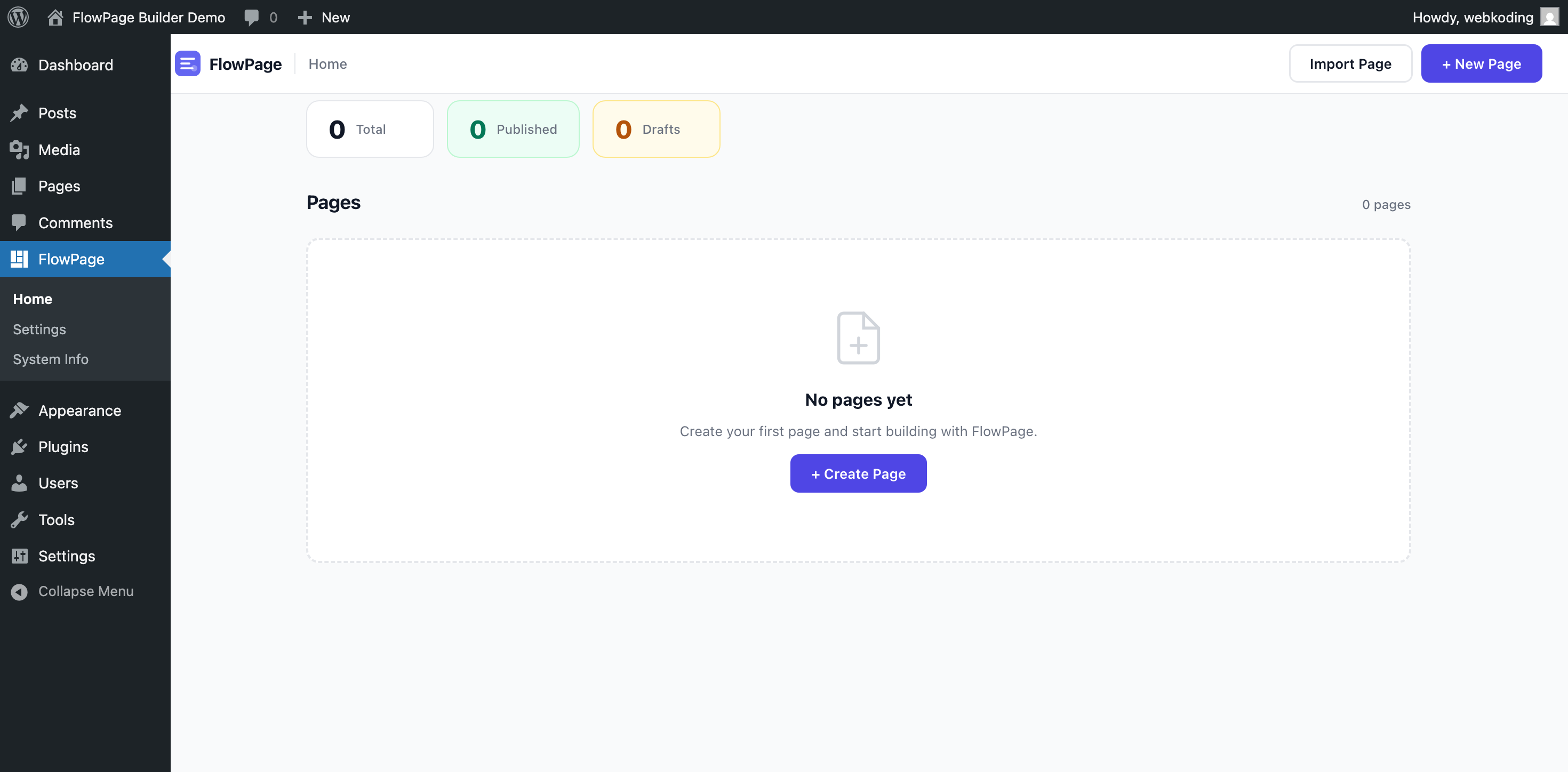
FlowPage Dashboard with page management
Core Features

Everything You Need to Build Pages

A complete page builder designed for simplicity. No bloat, no learning curve.

Setup Wizard

Configure your site type, colors, typography, and style in a guided wizard flow. Pages ready in minutes.

Visual Editor

See your changes as you make them with the live preview panel. WYSIWYG editing at its best.

Inline Editing

Click on any text directly in the preview to edit it. No switching between panels and preview.

Responsive Preview

Switch between Desktop, Tablet, and Mobile views to see how your page looks on every device.

Global Navbar & Footer

Design once, use everywhere. Your navigation and footer automatically appear on all FlowPage pages.

Import / Export

Export your pages as JSON and import them anywhere. Perfect for migration and reuse across projects.

Perfect For

Who Is FlowPage For?

FlowPage is built for a specific use case. Here's who benefits the most.

Freelancers

Build client landing pages fast without touching code

Agencies tired of bloat

Clean HTML, no jQuery, no Bootstrap — just performance

Developers who want clean output

Semantic HTML, no shortcode lock-in, exportable JSON

Business owners

Update your own content with inline editing — no developer needed

Complex multi-page websites

FlowPage is designed for landing pages, not full site-building

E-commerce storefronts

We have WooCommerce sections, but full store builds need Elementor/WooBuilder

Honest Comparison

FlowPage vs. The Rest

See how FlowPage compares to popular WordPress page builders.

Feature FlowPage YOU Elementor Pro WPBakery
Price $39 one-time $59/year $99
Dependencies None (zero JS/CSS libs) jQuery + Swiper + core jQuery + Bootstrap
Setup Time ~5 minutes ~30 minutes ~45 minutes
Setup Wizard Guided flow
Inline Editing
GDPR Compliant Self-hosted fonts Partial Partial
Clean HTML Output Semantic Div soup Shortcodes
Annual Fee No (lifetime updates) Yes ($59/yr) Optional ($49/yr)
Focus Landing pages Full site builder Full site builder
14+ Section Types

Every Section You Need

From hero banners to pricing tables, every essential section type is included and ready to use.

Hero Full-width banner with heading, CTA buttons
Features Grid cards with icons and descriptions
Pricing Comparison tables with toggle
Testimonials Customer reviews with star ratings
FAQ Accordion Q&A with smooth toggle
CTA Call-to-action with buttons
Image + Text Side-by-side content layout
Team Team member cards with roles
Stats Animated number counters
Video Click-to-load YouTube/Vimeo
Contact Info cards with map embed
Blog Grid Latest posts from your blog
Timeline Chronological event display
WooCommerce Products & categories grid
Simple Workflow

How It Works

From installation to published page in just 4 simple steps.

1

Choose Site Type

SaaS, Corporate, Portfolio, Restaurant, Blog, or E-Commerce.

2

Pick Your Style

Select colors, typography, and design style. Everything stays consistent.

3

Customize Content

Visual editor with inline editing, image uploads, and drag-to-arrange sections.

4

Publish

One click to publish. Clean, semantic HTML with zero dependencies.

Ready-Made Templates

6 Professional Templates

Start with a pre-built template and customize it to match your brand.

SaaS Landing

Hero, Features, Pricing, Testimonials, FAQ, CTA

6 sections

Corporate

Hero, About, Stats, Features, Team, Testimonials, CTA

7 sections

Portfolio

Hero, Works, Image Gallery, Contact, CTA

5 sections

Restaurant

Hero, Menu, About, Testimonials, Contact

5 sections

Blog Starter

Hero, Blog Grid, About, Newsletter CTA

4 sections

E-Commerce

Hero, Products, Categories, Features, Testimonials, FAQ

6 sections
Simple Pricing

One-Time Purchase. No Subscription.

Buy once, use forever. Lifetime updates included with every license.

Extended License
$199 one-time
For a single end product where end users can be charged (SaaS, paid sites).
  • 1 WordPress site
  • All 14+ section types
  • 6 professional templates
  • Lifetime updates
  • 12 months support
Purchase on CodeCanyon →
Early Feedback

What Beta Users Say

FlowPage is new on CodeCanyon. Here's what early testers have to say.

★★★★★
"FlowPage replaced my entire workflow. I built a complete landing page in 15 minutes. The wizard makes everything so intuitive."
JM
James M.
Freelance Developer
★★★★★
"Finally a page builder that doesn't slow down my site. Zero dependencies, clean output, and the inline editing is a game changer."
SK
Sarah K.
Agency Owner
★★★★★
"My clients love how easy it is. I set up FlowPage, hand them the login, and they can update their own content without breaking anything."
DP
David P.
Web Designer

These are early beta reviews. Real CodeCanyon reviews will appear after launch.

FAQ

Frequently Asked Questions

Yes! FlowPage uses its own full-page template that bypasses your theme's layout. It works with any WordPress theme without conflicts.

Not at all. FlowPage is designed for non-technical users. The wizard guides you through every step, and inline editing lets you change text by simply clicking on it.

No. FlowPage outputs clean, semantic HTML with no framework dependencies. No jQuery, no Bootstrap — just lightweight CSS and vanilla JavaScript.

Yes! FlowPage includes dedicated Products and Categories sections that work with WooCommerce. Perfect for product showcase pages.

FlowPage is GDPR and KVKK compliant by design. All fonts are self-hosted, and video/map embeds use click-to-load consent. No external requests without user action.

Your content stays in WordPress as regular pages. The HTML is stored in post content, so your text and structure remain intact even without the plugin.

Open a ticket through CodeCanyon or email us at support@webkoding.com. We typically respond within 24 hours on business days.

Available on CodeCanyon

Start Building Today

One-time purchase. Lifetime updates. No subscription.

30-Day Money-Back Guarantee